Punjab SBA result card generator
Start with a text-based SIS class PDF to create a teacher-ready award-list workbook, or fill one student's term marks, review the A4 card as you go, then print it or save it as a PDF. Everything runs locally in your browser—there is no account and no student-data upload.
Collaborating with multiple teachers in your school?
Use the shared cloud workspace so subject teachers can log in with your school's EMIS code and enter marks simultaneously without file conflicts.
Private, browser-based tool
Import a class roster or enter one student's result
Complete the details and term marks, then print the A4 card or choose “Save as PDF” in your browser's print dialog.
Student information stays in this browser tab.
SIS roster import
Turn an SIS student-list PDF into an award-list workbook
Choose a text-based SIS class PDF. Its roster is read in this browser, shown for review, then placed into an Excel award list for one subject or all subjects.
This importer supports the SIS “All students of EMIS” text-PDF export. Scanned PDFs need OCR and are not supported yet.
| Roll | Enrollment | Student | Father / guardian | Form-B | DOB |
|---|
Completed award list
Load an Excel award list to prepare result cards
Choose the completed .xlsx file from tab 1. Select a student to load their marks into the A4 result-card preview.
Upload one completed award list, or select multiple single-subject Excel files to merge them automatically.
A4 print preview
GOVERNMENT OF THE PUNJAB · SCHOOL EDUCATION DEPARTMENT
PUNJAB SCHOOL BASED ASSESSMENT (SBA)
| # | Subject / مضامین | Total / کل | Obtained / حاصل کردہ | Percentage / فیصد | Grade / گریڈ | Evaluation / کارکردگی |
|---|---|---|---|---|---|---|
| Grand Total / میزان کل نمبرات | 0 | 0 | 0.0% | - | - | |
🌟 Outstanding superstar! Shows wonderful effort and excellent learning. Keep shining bright! 🏆🎉
Check before issuing
This independent tool is not an official Punjab Government or PECTAA service. Verify the active academic-year template, marks rules, and your school's approval process before printing or distributing result cards.
From marks to an A4 card in one tab
- 1
Add student details
Enter the school, student, class, attendance, and optional teacher remarks. Urdu fields are supported.
- 2
Enter term marks
Fill only the assessed subjects. The preview caps an entered mark at that row’s maximum and calculates its percentage.
- 3
Review and print
Use Print result card. In the print dialog, enable background graphics and select A4 portrait; choose Save as PDF when you need a digital copy.
Result-card generator FAQ
Does this result-card generator upload student data?
No. Names, B-Form numbers, attendance, marks, and remarks are processed inside the current browser tab. SIS class PDFs are read locally to prepare an Excel award list; this tool does not save a student record or send it to a server.
Can I print a single-term result card (e.g. First term or Mid term)?
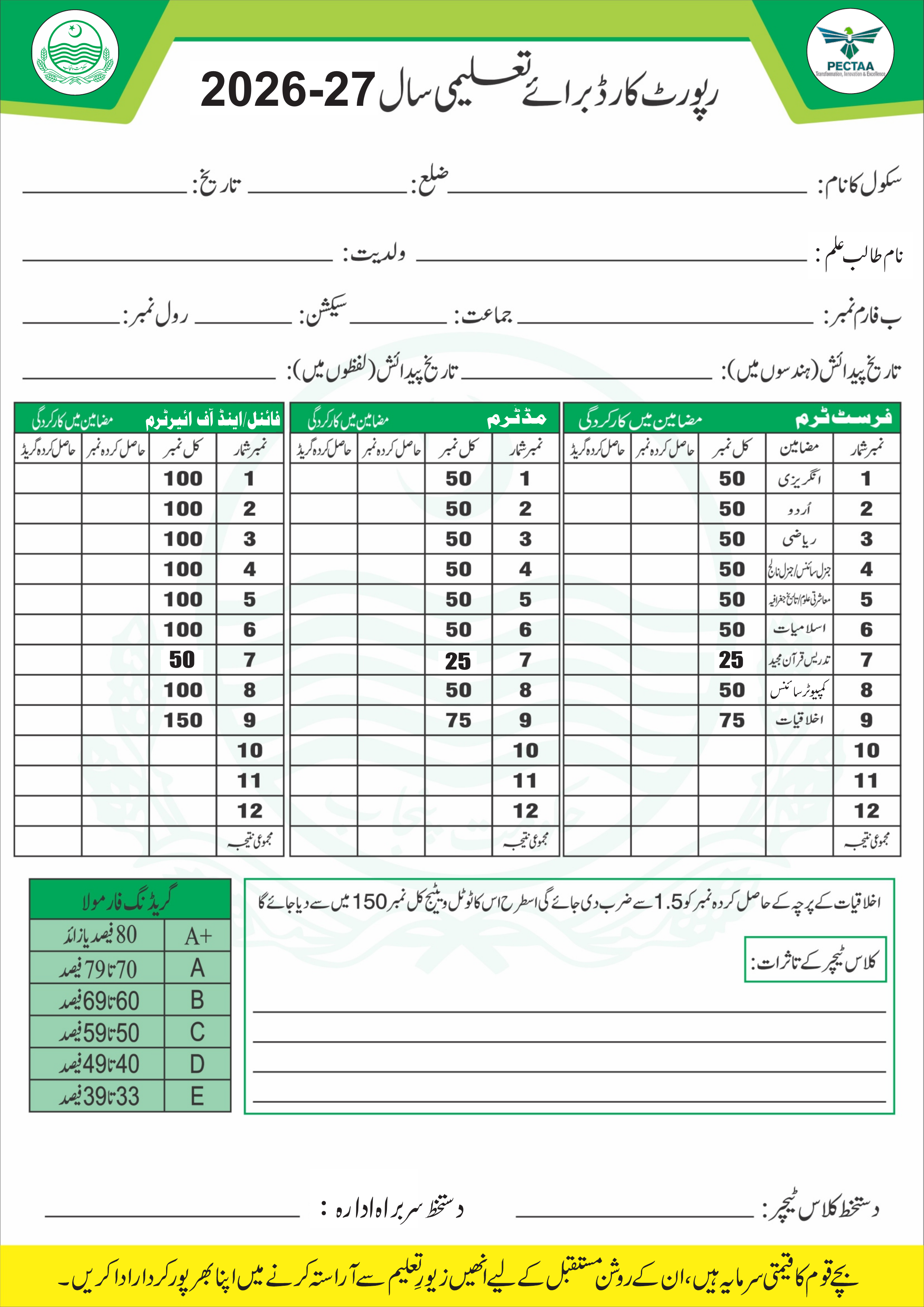
Yes. Choose “Single Term Card (Progress Report)” under Card layout and select which term to show (First term, Middle term, or Final term). The card displays an assessment report with subject marks, percentage, grades (A+ to F), teacher remarks, and signatures without leaving blank columns.
Can I create an award list from an SIS student-list PDF?
Yes, for a text-based SIS student-list PDF with the supported student columns. Review the extracted class roster, complete the school, term, class, section, and subject fields, then download an editable award-list workbook for one subject or all subjects.
How do I download the result card as a PDF?
Select Print result card, then choose “Save as PDF” in your browser’s print dialog. Keep paper size at A4, orientation at portrait, margins at none or default, and background graphics enabled.
Are percentages and totals calculated automatically?
Yes. Each entered mark is capped at the maximum shown for that term. The card shows the subject percentage and the total marks for each term; blank marks remain blank rather than being treated as zero.
Can I enter Urdu names and remarks?
Yes. The editor detects Urdu characters and switches the result-card text to a Nastaliq font for the printed preview.
Is this an official Punjab or PECTAA service?
No. This is an independent data-entry and printing aid. Confirm the current academic-year template, marks policy, and authorization requirements with your school or the relevant education authority before issuing any card.